
Loading OBJ
files into
Carrara
Notes about
loading OBJ files that came from PD Howler's
or PD Artist's 3D Designer



|
See both methods here. Scroll down to see the video for method #2 Method #1 - Loading the OBJ file that was savedHere's a sample screenshot: You'll notice that Carrara can created the objects as Facet Meshes or as Vertex Primitives. The latter is the default. This is useful if you plan on doing vertex-level editing on the imported surface. However, it will likely take more memory and more time to load, because the internal data structure is quite different when you want to identify and edit each vertex and facet and line through the Vertex modeler, vs. just holding a mesh that is ready to be rendered but doesn't need editing comparable controls. For large terrain meshes, it may therefore make sense to use the Facet Meshes mode. Note that either way, it can take quite a while to load such mesh terrain models. If you have a fairly high resolution image as the unerlying elevation map, the mesh file in OBJ format can easily be dozens or hundreds of megabytes in size. Below is a comparison with an example of a mesh of 1800x1012 elements in the original greyscale height map from which the terrain mesh was created in Howler's 3D Designer. (Note that this uses a modified version of the exporter, which allows for the u,v addresses to be exported with the mesh. You can grab this free update patch for improved OBJ export here. ) The resulting saved OBJ file in this example is very big: - 278 MB as uncompressed clear text - 41.2 MB compressed as zip - 14.6 MB compressed with 7-zip (.7z file). You'll definitely want to use 7-zip for archiving :-) Here's the original greyscale elevation map, with erosion and sediments from 3D Designer:  Here's a texture map for it  Here are renderings in PD Howler's 3D Designer:   Here we have imported the saved OBJ into Carrara as a mesh, then added the texture in the shader.  Here's a rendering in Carrara, save terrain, with different camera position added sky   Here we have used the same terrain as a surface replicator for a fir tree  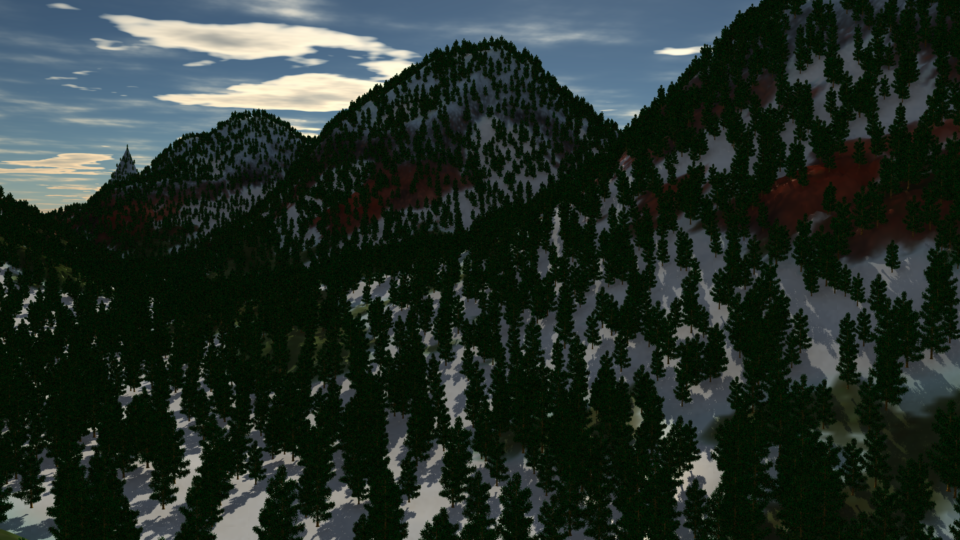 Method #2 - Reconstructing the Terrain mesh
from the saved Elevation Map
|

Tips & Tricks
More
OBJ
More Help
Main Features
| Verification |
What version do
you have? |
| Shortcuts |
General FAQ: Dogwaffle FAQ Related: Installation guide of earlier version: PD Pro 5.1b the 'H'-files: Dogwaffle help shortcut! PDhelp - the Online Help manual human please! Contact Us more humans! The Forums |