

Photoshop makes it easy, Curvy makes it possible
Also supports
3D Layers:
 |
 |
 |
 The perfect marriage: |
| Create a
3D Layer: Load a 3D file Click the "3D" menu and select the first item: New Layer from 3D File... It's that easy to add a layer in which your saved 3D object file will be added to your Photoshop composition, maintaining the full 3D interactive viewing capabilities that 3D offers.  You'll be asked to browse to the folder that contains your desired 3D file and select it.  In this example, an Elephant.obj model file (in Wavefront .OBJ format) is selected. It was created in Curvy 3D v2 and saved to .obj. The folder also contains a few support files, such as the Material (Elephant.mtl) file and supporting image files (a texture map and a bump map). And voila, there it is already: the Elephant 3D model loaded by PS CS4 as a 3D layer, rendered in PS over the lower layer, i.e. the background image.  You'll notice that there are a few 'streaks and bumps' along the elephant's trunk (nose). Those are from the bump map. Photoshop is indeed able to load not just the 3D model, not just the colored texture map appearance, but also knows what to do with the bump map that we created in Curvy and saved as well. Taking a look at the layers, you now will see a new layer on top of the background layer: that's the newly added 3D layer, named 'Elephant' in this case. It took the name from the selected 3D file's basename.  What's great is that
you can see both maps: the Diffuse representing the texture map, and
the Bump map below. When you place and rest the mouse cursor over
either one of these, you can see after a second or two that a tooltip
appears, in the form of a small thumbnail image representation of your
map. In the example below, we pointed at the Bump map, and recognize
various features such as the trunk's streaks (upside down in this view) What's great is that
you can see both maps: the Diffuse representing the texture map, and
the Bump map below. When you place and rest the mouse cursor over
either one of these, you can see after a second or two that a tooltip
appears, in the form of a small thumbnail image representation of your
map. In the example below, we pointed at the Bump map, and recognize
various features such as the trunk's streaks (upside down in this view)It's 3D! Look at it from a different side 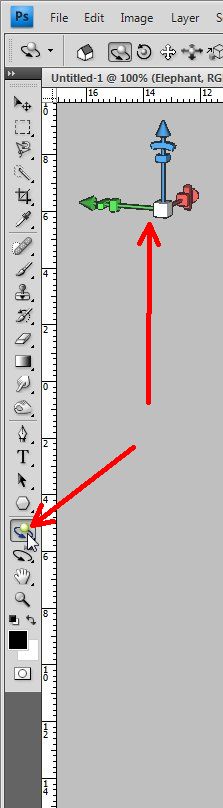 Now you can use those interactive 3D viewing tools, to orbit the camera or orient the 3D object. Try them all, and use shortcuts if possible. The faster you can move and view in 3D the better you'll focus on the editing tasks, such as changing and further painting over the texture map or bump map.  And
here's the first look at the elephant after rotating it, looking at it
from a different angle. Isn't 3D grand? Try doing that with purely 2D
drawings... :-) And
here's the first look at the elephant after rotating it, looking at it
from a different angle. Isn't 3D grand? Try doing that with purely 2D
drawings... :-)<< click to enlarge Next: Painting on 3D models |
| Beginner
Tutorials |
| Getting Started |
| New
3D Layer |
| Painting on 3D Models |
| Taking it even Further |
| Probing
Further |
|
Layers Magazine |
| Steve Burns' Tutorials: |
| hot! 3d object painting |
| hot! 3d bump maps |
| hot!
editing
uv maps |
Other 3D tools:
| HOT! Archipelis for iPhone 3D sculpting on the iPhone  and iPad too! |
|
|
|
|
from
2D to 3D in just seconds! Just trace an outline and see it automagically turn into fully textured 3D shapes for Second Life, Google Sketchup / Google Earth, Direct X & Games, Wavefront OBJ and other popular 3D file formats! Archipelis Designer  New! now also for Mac and iPhone! |