Digital
Painting has never been
so much fun: Learn to
paint with Particle Brushes!

PD
Particles - $19
A fun companion for your
digital
photo image editor!
powered
by Project
Dogwaffle
Can't
afford it on your own?
 |
|
|
- Intro: What is
Debugmode?
Debugmode.com is the website where you'll find excellent free
software by Satish:
- Wink, a tool for making excellent tutorials and
presentations published to Flash.
- Wax, a video editing and fx tool
- WinMorph, a tool for creating animated morphs
between images
and other software. We use some of this software ourselves and enjoy it
a lot. Thus, we highly recommend it.
|
|
|
Some tutorials powered by Wink:
|
|
Inventory Blowout
Sale:
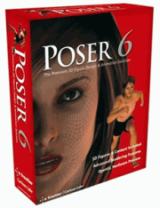
Poser 6 (boxed!) at
lowest prices:
for MacOs
or Windows
|
Bryce
5.5
BOXED!
Original price: $89.95
 Sale
price around $25 Sale
price around $25

|
Getting
started with Digital
Painting on a slim budget:

PD
Artist now
$29!
Draw,
Sketch, Animate & Paint
powered
by Project
Dogwaffle
|
|
- What is Wink?
Wink is a tool to create presentations, typically of screen shots
that are composed with text bubbles to guide you through a software
demonstration or training
tutorial. There can be interactive components in the project, suich as
clickable links. There can now also be audio, and hyperlinks to other
documents and websites.
Wink is free and easy to learn and use. It produces presentations in
Macromedia Flash format, and other formats.
If you ever need to create multimedia presentatrions, tutorial,
training material etc... then you should give Wink a try.
More info and features:
Wink is a Tutorial and Presentation creation
software, primarily aimed at creating tutorials on how to use software
(like a tutorial for Wax, another pogrm by Satish at debugmode). Using
Wink you can capture
screenshots, add explanations boxes (bubbles), clickable buttons,
titles etc and generate a
highly effective tutorial for your users.
(More tutorials created by Wink users and companies can be found at the
User Forums.)
Wink makes it very easy to create high quality
tutorials/documentation.
Some of Wink's Features:
- Cross-Platform: Available for all
flavours of Windows and various versions of Linux (x86
only).
- Audio: Record voice as you create the
tutorial for explaining better.
- Input formats: Capture screenshots from
your PC, or use images in BMP/JPG/PNG/TIFF/GIF formats.
- Output formats:
Macromedia Flash, Standalone EXE, PDF, PostScript, HTML or any of the
above image formats. Use Flash/html for the web, EXE for distributing
to PC users and PDF for printable manuals.
- Multilingual support:
Works in English, French, German, Italian, Danish, Spanish, Serbian,
Japanese, Brazilian Portuguese and Simplified/Traditional Chinese.
- Smart Capture Tools:
Capture screenshots automatically as you use your PC, based on mouse
and keyboard input (great time saver and generates professional
captures).
- Performance/Quality: Creates highly
compressed Flash presentations (few kbs to few hundreds of kbs, much
smaller than competing commercial products) ideal for using on the web.
|
- Tools:
- Navigation
buttons to move to next/previous/random frames in the presentation, you
can use custom bitmaps for these buttons (full transparency/alpha
channel support).
- Callouts and shapes for displaying text
explanations. The inbuilt Callout Editor is used to create custom
shaped callouts as you want.
- Intuitive drag-n-drop editing of the frame,
callout, cursor, navigation buttons and the title elements.
- Advanced
features like templates, cursor editing, palettes, background images,
control bars & preloaders for the flash output etc.
- Completely PC and Web ready with exports to
PDF, HTML, SWF and EXE formats.
- Innovative
compression techniques applied to reduce filesize of output Flash file.
Generated flash file plays in Flash players from version 3 and above,
giving you widest array of target audience.
- Uncompressed output to allow you import the
output of Wink into other Flash editors.
|
For more information and detailed
features about the
latest version of Wink be sure to visit the Wink section at
debugmode.com
|
|
from
2D to 3D in just seconds!

Just trace an
outline and see it automagically
turn into
fully textured 3D shapes for Second Life, Google Sketchup / Google
Earth, Direct X & Games, Wavefront OBJ and other popular 3D file
formats!
Archipelis
Designer
rapid
3D model creation and prototyping from mere images - for 3D content
creation, games, IM Avatars, SL models, 3D illustration in Photoshop(R)
and more
New!
now also for Mac!
|
a great companion to
Project Dogwaffle:
AnimeStudio
is on sale!

Regular price: $59.95Sale
price: $39.95
(boxed!)
|
|
Finally! 3D for
everyone:
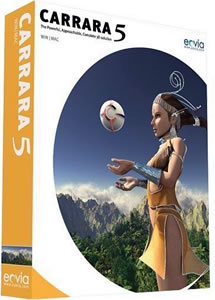
Carrara
(boxed)
free shipping
for
orders $50 and up! (US only)
around $55
Carrara
5 Standard:
best
value!
|
|
- What is Wax?
Wax is a video compositing and special effects tool. You can use Wax
for putting together multiple clips, adding audio, even multiple
tracks, and re-rendering a clip to another format or codec.
Wax is free. It is great as a standalone tool, even as a plugin to some
other popular and professional video editing solutions, and also as a
companion to such tools as VirtualDub and Project Dogwaffle.
If you ever need to quickly add a soundtrack to a 3D rendered
animation, you should give Wax a try. You'll love it.
More
info about Wax:
The idea for Wax is to be very general purpose and
flexible in video compositing and effects, so that you can compose your
dream video sequence with ease everytime.
Wax can create 2D &
3D special effects and can work in two modes - as a standalone
application which would appeal for home users/beginners, and as a
"plug-in" to video editors/NLEs which would be more useful for
professional editors.
For more information and detailed features about
the latest version of Wax be sure to visit the Wax section at
debugmode.com
|
|
|