

| more Dogwaffle: |
| PD Pro |
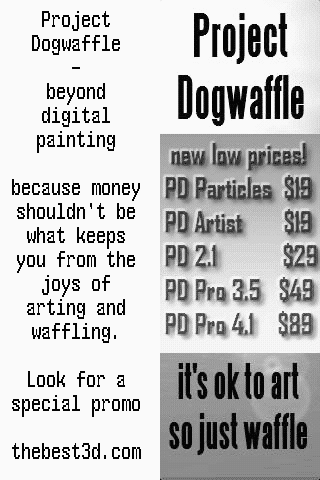
| Project
Dogwaffle |
| PD Particles |
| TheBest3D.com |
| into 3D:
draw
a shape, and see it automatically turn it into 3D Archipelis Designer  |
| Bryce
5.5 BOXED! Original price: $89.95  Sale
price around $25 Sale
price around $25 |
| a
great companion to
Project Dogwaffle: AnimeStudio is on sale!  Regular price: $59.95 Sale
price: $39.95(boxed!) |
| a
great companion to
Project Dogwaffle: AnimeStudio Pro is on sale!  Regular price:
$199.95
Sale
price: $179.95>> free shipping available in the US! |
| Great
Animation
Tools 2D + 3D Software at lowest prices! Carrara - Bryce - Poser - Anime Studio - Manga Studio and more |
Penny Paint for PD Artist Updated! Now at version 1.1.  Penny Paint is now also available for PD Artist, as a free add-on. For information about Penny look here, but note that a different download is offered for PD Artist here. Download: DO NOT 'OPEN' THE FILE - this is not an installer, instead it is the program executable. Simply, click or right-click and save this file (aka link target). Save it to the folder where your PD Artist was installed. Newest version 1.1: Penny1.1forPDArtist_pm.exe Size: 163 KB (166,912 bytes) Built: September 14, 2008, 10:31:42 PM prior version: PennyforPDArtist_pm.exe (size: 159 kb) Note: We recommend saving the file to the Desktop or 'My Documents', or directly to the PD Artist installation folder. Installation: The above is not an installer, it is merely the plugin's executable. Save the downloaded file into the folder where you installed PD Artist. In most cases (default location) that will be here: C:\Program Files\PD Artist How to run it: Detailed information about Penny can be found here. It includes a User's Guide. Here are some notes specific to the version of Penny for PD Artist: After placing a copy of the above downloaded file into the PD Artist installation folder, you can launch the Plugins panel from the Window menu, or use the keyboard shortcut: 'k'  The plugin will be available in the 'Misc' (miscellaeous plugins) category. You can double-click it there or single-click and click 'Execute'   |
| more
Plugins (some may work with PD Artist too) |
| Other
free plugins |
| free third-party plugins |
 |
If
you like PD
Particles then you'll LOVE
PD Pro see what's new in v3.5 and free update patches even better, check: what's new in v4.1? |
| Finally! 3D for
everyone: Carrara (boxed) free shipping for orders $50 and up! (US only) Hurry before they're gone - this is a limited inventory blowout sale around $17 Carrara 3D Basics: so affordable! 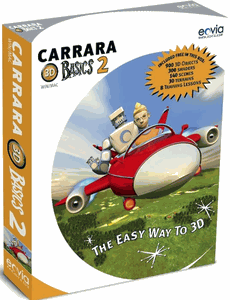 around $50-$60 Carrara 5 Standard: best value! 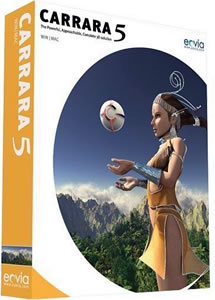 just around $100 Carrara 5 Pro: be a 3D Pro now! 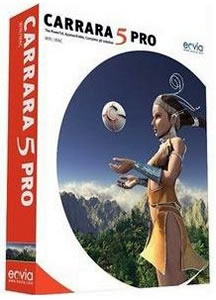 |