

Using Curvy together with PD Pro's Custom Brush

Also supports
3D Layers:
 |
After you're done
with sculpting
and modeling,
take your art
to the next level:
 |
 The perfect marriage: |
| Finally! 3D for everyone: Carrara (boxed) free shipping for orders $50 and up! (US only) Hurry before they're gone - this is a limited inventory blowout sale around $17 Carrara 3D Basics: so affordable! 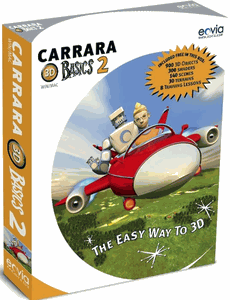 around $40-$50 Carrara 3D Express: wow!  around $50-$60 Carrara 5 Standard: best value! 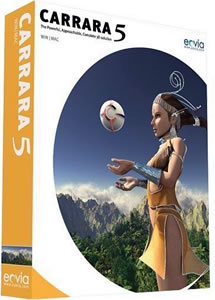 just around $100 Carrara 5 Pro: be a 3D Pro now! 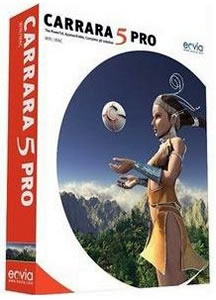 |
Confetti Time! Now you'll want to paint with this brush. If you want the brush to react to tablet pressue for size control, orother operations that are time consuming such as rotation with mouse or random size, you'll want to enable custom brush transforms from the Custom tab in the brush settings (options).  You can then use the various transform controls in the Main tab of the brush options panel.  Here's the result of one brush stroke: 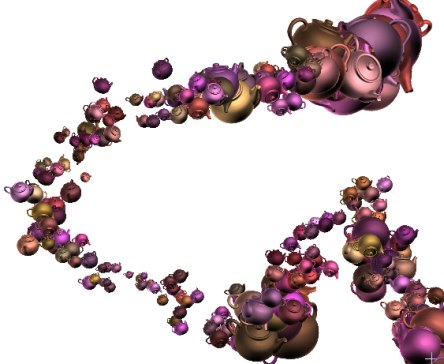 Since the brush contains multiple images, it is an animated brush. There are a few things you can do with that, such as throwing various filters across the animated brush timeline.  The Brush timeline editor looks similar to the regular timeline editor, except that it works on the frames of the custom brush, not the main animation. Also, keep in mind that it works on the currently loaded, active custom brush, not on a stored instance. You can have many stored custom brushes present. Only one custom brush is in the active painting system. That's the one you work with. So be sure to click the thumbnail of the desired stored brush so it loads it into the current, active system.  Here's an example of what you could use the animated brush timeline editor for. You can modify the colors of each frame in different ways. The bottom is the original sequence, the top is the modified version after rendering the Color Add filter.  Now this is teapot confetti!  |
| Teapot
Confetti |
| part 1 |
| part
2 |
| part
3 |
| Beginner
Tutorials |
| Getting Started |
| Photoshop 3D Layers |
| Bones
101 |
| Teapot |
| Dogwaffle 101 |
|
|
| Can't afford PD Artist at $19?  Someone else will pay for your copy of PD Artist, if you buy something from them first - and there are many products and services to choose from! |
| Can't afford PD Particles at $19?  Someone else is willing to pay for your copy of PD Particles, if you buy something from them first - and there are many products and services to choose from! |
| Easy,
powerful & affordable 3D with Carrara 7  (download versions at DAZ3D based on v7) Carrara 7 Express Carrara 7 Standard Carrara 7 Pro |
| Getting
started with Digital Painting on a slim budget:  PD Artist Draw, Sketch, Animate & Paint powered by Project Dogwaffle
|